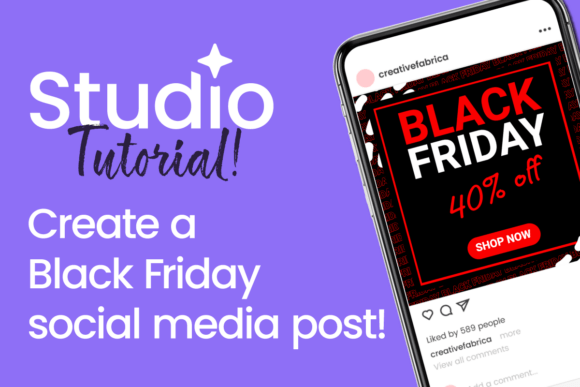
How to Create a Black Friday Social Media Post in Studio That Actually Converts
Black Friday is no longer just a single day of doorbuster deals. It has evolved into a season of aggressive marketing, consumer frenzy, and intense competition for attention. For brands and creators, the difference between a successful campaign and one that gets lost in the noise often comes down to one thing: the quality and strategic design of the social media posts. This is where the ability to create a Black Friday social media post in Studio becomes a critical skill. Whether you work for a large e-commerce brand or manage a small side hustle, knowing how to leverage a design platform like Studio can transform your holiday marketing from chaotic to cohesive.
This article walks through the practical steps, design principles, and strategic considerations that go into building effective Black Friday content. We will explore why Studio offers a unique advantage for this specific task, how to tailor your visuals for different platforms, and what common pitfalls to avoid when the pressure is on.
Why Studio Is Ideal for Black Friday Campaigns
When the calendar flips to November, the pressure to produce high-volume, high-quality content spikes dramatically. You might need ten different versions of a single offer for Instagram Stories, Facebook feed posts, TikTok videos, and LinkedIn banners. Doing this manually in a traditional photo editor is inefficient. Studio, as a dedicated design environment, simplifies this by offering templates, brand kits, and collaboration features that streamline the entire process.
The primary function of using such a tool is not just about making something look pretty. It is about maintaining brand consistency while adapting to the unique requirements of each social channel. Studio allows you to establish a master layout for your Black Friday promotion and then quickly resize, recolor, or rephrase elements without rebuilding from scratch. This speed is invaluable during a time-limited event like Black Friday, where a delay of even a few hours can mean missed sales.
Another characteristic that sets Studio apart is its focus on modular design. Instead of treating each post as a standalone piece of art, you can create component-based graphics. For example, your headline text, discount badge, product image, and call-to-action button can each be independent elements that snap into place. This modularity makes it straightforward to create a Black Friday social media post in Studio that is both visually coherent and easily updatable. If the sale price changes at the last minute, you adjust one element, not the entire composition.
Core Elements of a High-Converting Black Friday Post
Before diving into the software interface, it helps to understand what makes a Black Friday post effective. The goal is to stop the scroll, communicate value instantly, and drive a specific action. Here are the essential components you should plan for when working in Studio.
Visual Hierarchy and Urgency
Black Friday is synonymous with urgency. Your design must reflect that. The most important information, typically the discount percentage or the product name, should dominate the frame. Use bold typography, high-contrast colors, and strategic sizing to guide the viewer's eye. In Studio, you can use layers and alignment tools to ensure your primary message sits above the fold, even on mobile screens.
Consider using countdown timers if your platform supports dynamic elements, or simply add a date range in a prominent position. The color palette matters too. Traditional Black Friday colors lean toward black, red, and yellow, but that does not mean you have to abandon your brand identity. Instead, find a balance. Use your brand colors for the background and supporting elements, then reserve high-energy accent colors for the discount badge or call-to-action button. Studio's color picker and swatch system make it easy to experiment with these combinations without committing to a final design immediately.
Typography That Commands Attention
Text is the backbone of any promotional post. On Black Friday, you are competing against dozens of other offers in the same feed. Your headlines need to be punchy, scannable, and legible at small sizes. Avoid decorative script fonts for the main message. Stick to bold sans-serif typefaces for headlines and clean, readable fonts for secondary details like terms and conditions.
Studio typically offers a library of fonts, but you can also upload custom brand fonts. When you create a Black Friday social media post in Studio, pay close attention to kerning and line spacing. Tight spacing can make text look crowded and unprofessional, while too much space can dilute the impact. Use the text tool's alignment and spacing controls to find a sweet spot. A good rule of thumb is to limit your headline to six to eight words. If your offer requires more explanation, place it in a smaller subtitle directly below.
Product Imagery and Lifestyle Context
Stock photos of generic shopping bags are overused. Modern consumers want to see the actual product in a relatable context. If you are selling a kitchen gadget, show it being used in a real kitchen. If you offer a service, show the outcome or the experience. In Studio, you can easily layer product images with transparent backgrounds onto your designed background. This gives you control over composition and avoids the cluttered look of a plain screenshot.
Use shadows, gradients, or subtle overlays to make the product pop. Studio's blending modes and opacity controls allow you to integrate images smoothly without harsh edges. The goal is to create a sense of aspiration or problem-solving. A Black Friday post that simply says "50% off" without showing what the customer actually gets is unlikely to perform as well as one that visually demonstrates the value.
Adapting Your Post for Different Platforms
One of the biggest mistakes marketers make during Black Friday is creating a single design and posting it everywhere without adaptation. Each social platform has its own culture, aspect ratio, and user behavior. Studio handles this by allowing you to create variations from a single master design.
Instagram and TikTok: Vertical First
These platforms are mobile-first and heavily visual. Your post here needs to be tall, engaging from the first frame, and designed for quick consumption. For Instagram Stories and Reels, consider a 9:16 aspect ratio. For feed posts, a 4:5 ratio often works better than a square because it takes up more vertical space in the feed. When you create a Black Friday social media post in Studio for these channels, prioritize the top third of the image. That is where viewers will see the most important information without having to tap to expand.
Use bold text overlays, animated elements if Studio supports them, and a clear call-to-action like "Shop Now" or "Tap to Save." Stories, in particular, benefit from interactive stickers like polls or countdowns, but these are often added after the design is exported. Keep the base design clean so that interactive elements do not become visually confusing.
Facebook and LinkedIn: Balanced and Informative
These platforms tend to favor a more balanced approach. Square or 1:1 aspect ratios are still standard, though landscape (16:9) can work well for link posts. Users on Facebook and LinkedIn often scroll more slowly and are willing to read a bit more text. Here, you can include a short headline, a supporting image, and a few bullet points about the offer directly in the post copy.
When designing in Studio for these channels, ensure that your branding is clear but not overwhelming. The post should look professional and trustworthy, as these platforms are also used for customer service and brand reputation. Avoid excessive animations or flashing elements that might appear unprofessional.
Twitter and Pinterest: Minimal and Actionable
For Twitter, the feed is fast-moving and text-heavy. Your graphic needs to be immediately understandable in a split second. Use a single strong visual, a short headline, and a link in the tweet. Studio designs for Twitter should be simple, with very little clutter. Pinterest, on the other hand, thrives on vertical, inspirational images. Create a 2:3 aspect ratio pin that shows the product in a lifestyle setting. Add text overlay that describes the benefit, not just the discount. For example, "Save 40% on Your Morning Coffee Routine" performs better than "40% Off All Coffee Makers."
Practical Workflow in Studio
Knowing the theory is one thing, but having a practical workflow is what saves time and reduces stress. Here is a step-by-step approach to using Studio for your Black Friday campaign.
Start by creating a master template. Open a new project and set the dimensions for your primary platform, likely Instagram feed. Choose a background color or image that aligns with your Black Friday theme. Then add your product image, headline, discount badge, and call-to-action button. Use a consistent font pairing and save this as a template. Now, instead of designing each post from scratch, you can duplicate this template for each new offer.
From the master template, create variations. Change the product image, update the discount percentage, and adjust the headline. Studio's layer management allows you to lock certain elements, like the background or logo, while freely editing others. This is where the real efficiency gain happens. You can produce twenty posts in the time it would normally take to make two.
When you create a Black Friday social media post in Studio, also consider exporting in batches. Export all your Instagram versions at once, then resize the master template for Facebook, and export those. This batch approach minimizes context switching and keeps your creative flow steady. Use naming conventions for your files, such as "BF_Instagram_50Percent_01", so that you can easily find and schedule them later.
Common Pitfalls to Avoid
Even with a great tool, mistakes happen. One frequent issue is overdesigning. Too many colors, fonts, or effects can make a post look chaotic and desperate. Black Friday is already associated with loud marketing. Your job is to stand out by being clear and confident, not by being noisy. Stick to one or two fonts and a limited color palette.
Another mistake is ignoring mobile optimization. Many designers work on large desktop monitors and forget that their post will be viewed on a 6-inch screen. Always preview your design at actual mobile size in Studio before finalizing. If you cannot read the text or identify the product easily, your audience will not either.
Finally, do not forget the legal details. Terms like "while supplies last," "exclusions apply," or "valid only on 11/24" are often required but easily overlooked. Add these in a small, legible font at the bottom of your post. Studio allows you to include this text without distracting from the main message by using a reduced opacity or a separate text layer that can be toggled on or off.
Observations on Modern Black Friday Campaigns
The most successful Black Friday campaigns today are not just about the biggest discount. They are about creating a cohesive visual experience across all touchpoints. Customers might see your post on Instagram, click through to your website, and then see a similar offer in an email. Consistency in design builds trust and reinforces the offer. When you create a Black Friday social media post in Studio, you are not just making a graphic. You are building a visual asset that represents your brand during its most competitive time of the year.
Consider also the lifecycle of your post. Some Black Friday content is purely transactional and will disappear after the sale. But other posts, especially those showcasing your product in an authentic way, can be repurposed later. Studio's project management features, like folders and tags, help you archive these designs for future use. A well-designed post from this year can serve as inspiration or even a template for next year's campaign.
Brands that invest time in understanding their audience's visual preferences tend to outperform those that simply copy what competitors are doing. If your audience skews younger, lean into bold, meme-friendly designs. If your audience is professional, keep it clean and benefit-driven. Studio gives you the flexibility to test different styles without committing to a full production run.
Final Recommendations
If you are planning your Black Friday content right now, start by auditing what you already have. Look at your past campaign data to see which visual styles drove the most clicks or conversions. Use that information as a starting point in Studio. Build your templates around proven formats, then iterate with new offers and images.
Set aside a dedicated block of time to design all your core posts at once. The modular nature of Studio supports this batch workflow beautifully. As the sale approaches, you will only need to make minor adjustments rather than scrambling to create new designs from scratch.
Remember that the goal of any Black Friday post is not just to announce a sale, but to move the viewer from passive scrolling to active engagement. Whether that means clicking a link, saving the post, or visiting your store, every design decision should support that transition. By mastering how to create a Black Friday social media post in Studio, you equip yourself with both the creative control and the operational speed needed to win during the busiest shopping season of the year.